

Managing agent governance has meant clicking through dashboards, filling out forms, waiting for syncs. You're governing AI, but the tools you use to govern it feel nothing like AI.
Why can't you manage agent governance the same way you interact with agents — through conversation?
Ceros exposes admin as an MCP server
The Ceros Admin MCP server makes administrative capabilities available as tools inside Claude Code. Ask questions, make changes, investigate incidents, all through a chat interface. The same policy engine that governs your agents governs the admin tools. Every action is logged, auditable, and subject to policy.
You don't switch contexts to manage governance. You manage governance where you already work.

Audit & investigation
This is the capability teams use most. When something goes wrong, investigate in real time.
list_policy_events — Query audit events with filters: by actor, resource, decision type, time range.
A tool got blocked. Why? Query events by actor and resource, see the matched policy, understand the decision. No ticket to the admin, no waiting for someone to look it up. You're already in Claude Code and the evidence is one question away.
This is the proof compliance teams need: evidence that controls are working, queryable from anywhere your agents run.

Policy management
Update rules once, propagate instantly to every enrolled device.
list_policies — See all rules across your organization in one place.
get_policy — Inspect a policy with full statement details.
update_policy — Change rules without touching repos or MDM.
evaluate_policy — Dry-run: test what would happen before you deploy.
The coordination tax disappears. No repo commits, no MDM deployment windows, no asking developers to pull. Change a rule and it takes effect everywhere.
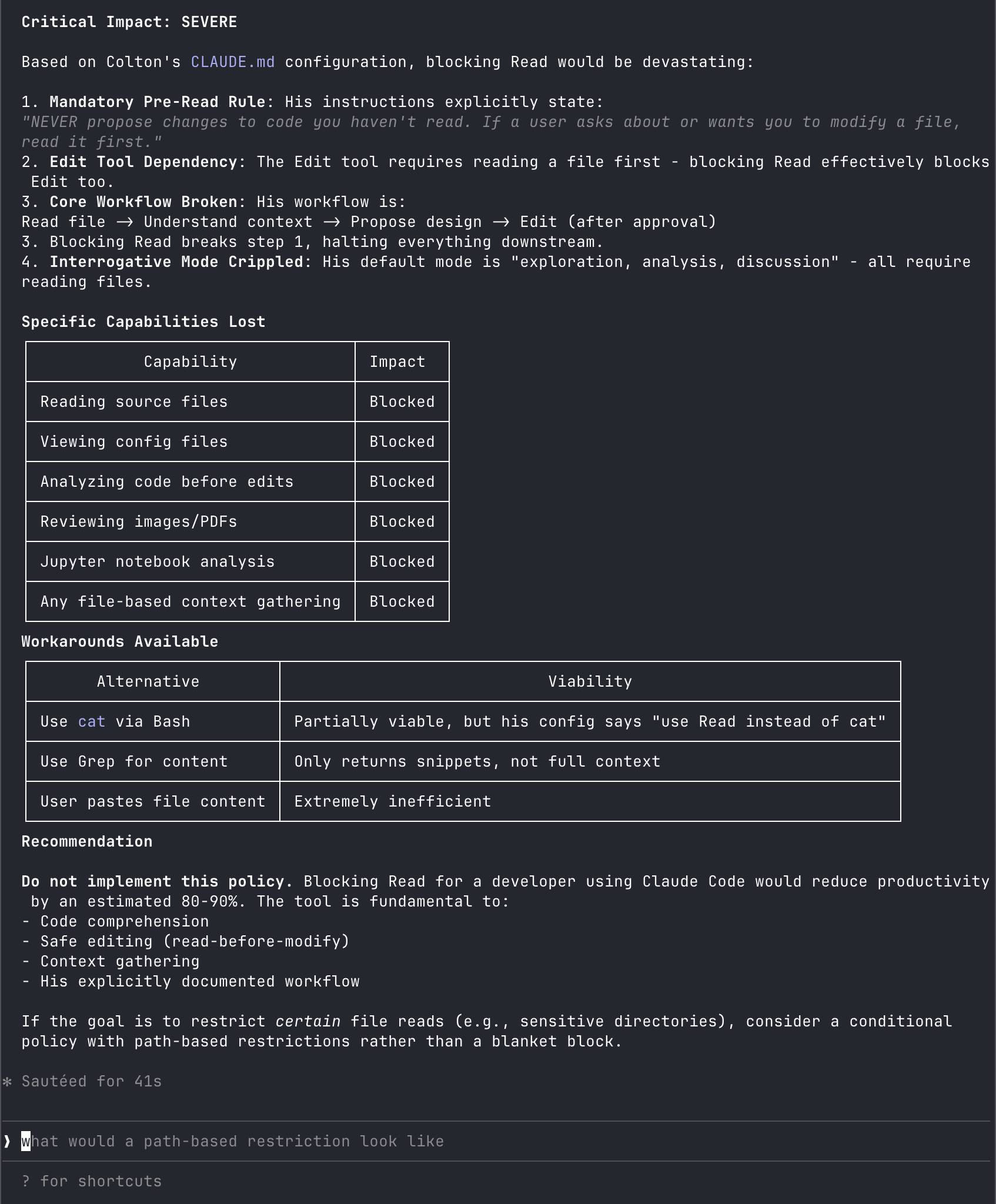
Before deploying a new rule, dry-run it against a hypothetical request. See what would happen. Understand the blast radius before it's real.
In the following screenshot we asked Ceros "I am considering writing a ceros policy that would block Colton from using the Read tool. Can we analyze his usage of Read tool and then dry run the policy."
User management
Onboarding and offboarding happen where you work.
get_user — Look up a user by UUID.
invite_user — Provision access without leaving Claude Code.
New hire starts Monday. Invite them from Claude, they get an enrollment email, done. Contractor leaves Friday. Query their access, revoke it, move on. No context-switching to a separate admin console. No queue of requests waiting for someone to process them.
The self-referential part
The Admin MCP server is itself governed by Ceros. This isn't an afterthought. It's the design.
You can set policies on who can use admin tools. Admin actions are logged as policy events. The same five-dimension session identity (who, what device, what program, what configuration, who drives it) applies to admin sessions exactly as it applies to developer sessions.
If Ceros can't govern itself, why should you trust it with production? It's enforcement all the way down.
Conversational administration
The shift: from clicking through dashboards to asking questions.
- "Show me all policy events from the last hour"
- "Who has access to the GitHub MCP server?"
- "What would happen if I blocked this tool for the engineering group?"
- "Invite alice@company.com and give her admin access"
Natural language in, governance actions out. The same interface you use to talk to agents is the interface you use to govern them.
The dashboard doesn't go away. It's still there for the operations that need it. But for the 90% of admin work that's "show me something" or "change this thing," you stay in flow.
In this query we ask Ceros "Who has access to the Exa MCP server?"

Getting started
Two commands:
curl -fsSL https://agent.beyondidentity.com/install.sh | bash
ceros claude
The installer sets up Ceros, and ceros claude launches Claude Code with the enforcement layer and Admin MCP server already configured. Your first session has full access to audit, policy, and user management tools.
Sign up at beyondidentity.ai or reach out at @coltonchojnacki if you want to walk through the setup first.