

One of the many unlocks we get with AI-first design at Beyond Identity is the ability to explore, share, and test new concepts for our products. Design at Beyond Identity is AI-First, we wanted to share some best practices and methods on how we design in-app agentic experiences at an AI-native company.
For context, agentic experiences are AI interfaces where a user interacts with an intelligent agent that can understand context, take actions, and guide them through complex tasks. Think of it as the difference between a search box and a colleague, or team of colleagues, who know your environment and can investigate, explain, and act on your behalf, except they're agents.
The approach I'm going to share documents how we designed and prototyped one of these experiences in a single session leveraging Claude Code, a coding agent, as a design partner. It's part walkthrough of how we built it, part reusable practices you can apply to your own agentic experience design. Note: the design is still conceptual and in exploration.
Traditionally, most teams start with the back stage: build the AI pipeline, wire up the models, get responses generated, then figure out the UI. This guide takes the opposite approach. We design the front stage first, simulate the back stage with mock data and pre-written responses, and use the prototype to define what the back stage needs to deliver. The front stage becomes the spec. The back stage fulfills it.
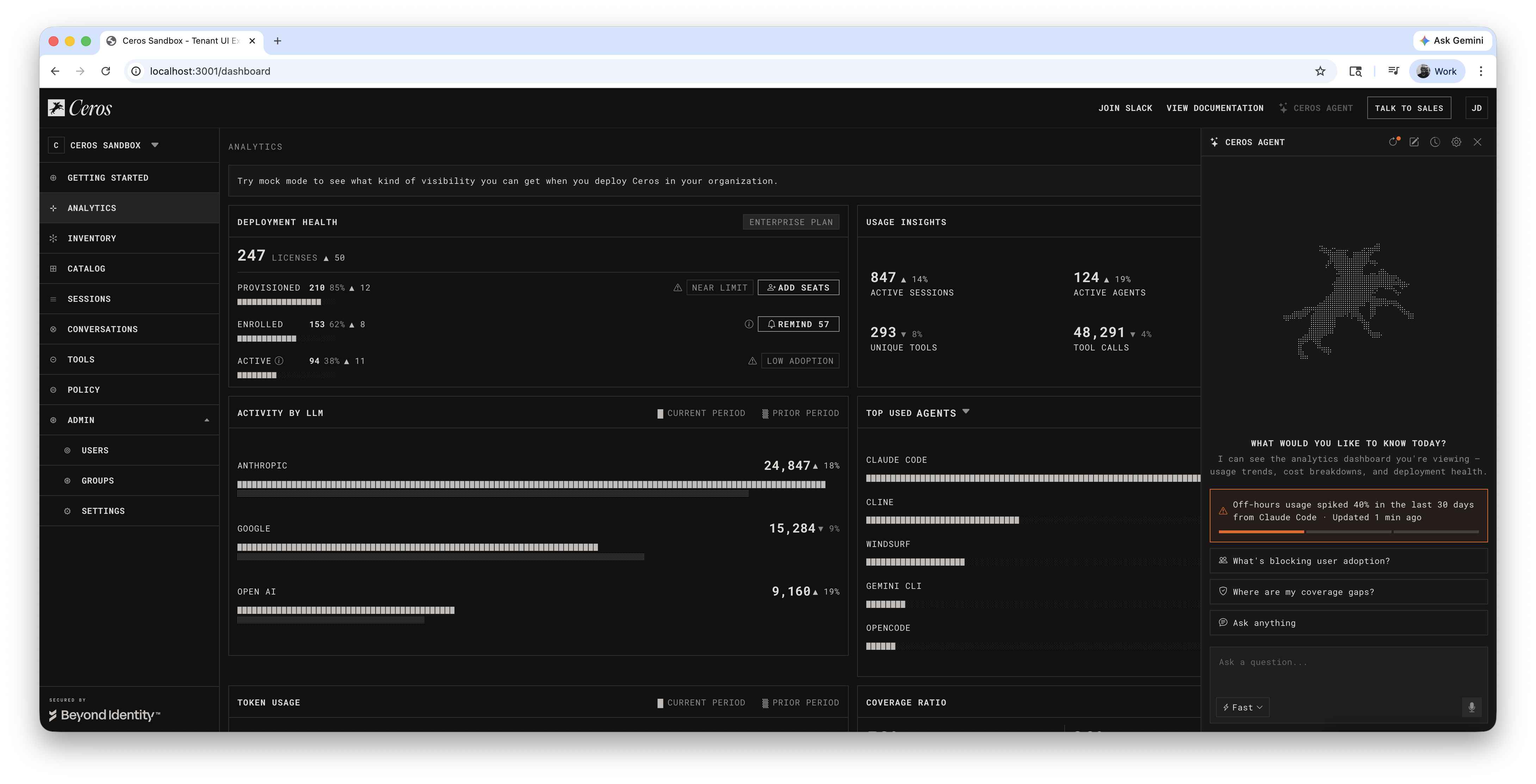
The AI-driven, front-stage-first design took on context-aware suggestions, streaming responses grounded in real data, multi-turn follow-up chains, and a trace overlay that visualizes the system architecture behind the conversation (you'll see why we needed this later). To understand how deep and complex an agentic experience can get, I'll share a real example we're currently exploring. Just one page of the product resulted in 126 conversation paths across 8 entry points. These things get big, fast.
Building the prototype live lets you:
- Feel the pacing: Is the streaming too fast? Is the thinking stage too long?
- Test the flow: Does the follow-up chain make sense? Where do users get stuck?
- Brainstorm in context: "what if we added a refresh button?" becomes a working feature in minutes
- Share a real experience: stakeholders interact with a live prototype, not a wireframe
There's another advantage: you're building in the same codebase your engineering team uses. The prototype isn't a separate Figma file that needs translation. It's real components, real data structures, sitting in a branch that engineering can pull, or that you can ship. When it's time to hand off, the conversation isn't "here's a mockup, now rebuild it." It's "here's the working code, swap the mock data for real APIs."
Key Concepts
If you're new to agentic experience design, two concepts frame everything in this guide:
Front stage
Everything the user sees and interacts with. The suggestion chips that help them start a conversation. The chat input where they type questions. The streamed responses that appear line by line. The follow-up actions they can click to dig deeper. The formatting that makes data scannable. When a user opens an agent panel and asks "what's driving the off-hours spike?", every element they see, read, and click is front stage design.
Back stage
Everything the user doesn't see. In most agentic products, there isn't just one AI behind the conversation. There's an orchestrator deciding which specialist to consult, a data retrieval agent pulling numbers from the database, an investigation agent analyzing patterns, a policy agent that can draft rules, and a language model composing the final response. The user talks to one agent. Behind it, multiple agents coordinate to produce the answer.
How to Work With Claude (Designer's Note)
Walk through changes one at a time
Agentic experiences go deep. The instinct may be to let Claude fill them all at once. Don't assume that's good enough. Go one by one: review each response, shape the tone, decide what follow-ups make sense. You're the designer: every response is a design decision about what the agent should say and how it should say it.
Use Claude for research, not just execution
"What do other products do?" is more valuable than "build this component." The competitive analysis shapes the design direction; the code is just the implementation.
React to real output, not descriptions
You can't evaluate an agent's experience by reading about it: you have to see it, click it, feel the timing. Build one thing, look at it, then decide what's next.
Set guardrails before you start building
Coding agents like Claude are fast, but they'll drift if you don't establish constraints upfront. Write rules into a file (like CLAUDE.md) that loads every session. Without guardrails, the AI will invent plausible-sounding features, reference data that isn't real, and suggest actions the product can't perform.
Here are some real examples from our CLAUDE.md file (these are specific to our application, but the concept applies universally):
No Invented Features
- Agent responses must only reference functionality that exists in the product UI
- The product's action vocabulary: block (deny policy), sanction (approve + add to catalog), leave unsanctioned (visible, no action), notify (send a message)
- Do NOT introduce: assignment workflows, ticketing, approval queues, or any other feature not visible in the existing sandbox UI
Working Through Coverage Gaps
- When filling gaps in the conversation tree, go one at a time with the designer
- Before each gap: explain how to navigate to it in the UI so the designer has full context
- "Action" follow-ups must confirm scope before executing; "Investigate" follow-ups respond immediately
Principles and Best Practice when designing Agentic Experiences with AI
Use Claude as a Design Research Partner
The most valuable moments weren't "build this component": they were "what do other products do?" and "help me think through this tradeoff." When you hit a new design surface, ask Claude to survey the landscape before building. Frame it as "what do the best products do?" not "what should I do?": the former gives you options, the latter gives you opinions.
One Change at a Time for Visual Work
When Claude offers multiple improvements, ask for them one at a time. "Go one by one so I can track your suggestions visually" gives you isolated feedback, abort points, and compound confidence. Treat Claude like a design tool with an undo stack: one operation at a time.
The Generic Fallback Is Your Best Testing Tool
When mocking an agent experience, the generic fallback response ("This is a sandbox simulation...") is a canary. Every time it appears, it's pointing at a conversation path that needs coverage. Don't hide it. Each gap you find while testing is a conversation path that will need prompt engineering coverage in production.
Build Observability Into the Prototype
We added hidden toggles (behind a "Sandbox Only" menu) for design-time overlays: DS Labels show which design system components are used, Agent Trace shows which back-stage agents contribute to each response. These let you switch between "user mode" and "architecture mode" without changing code. Build these early: the cost is trivial during prototyping, but the insight is enormous.
Ground Everything in Shared Mock Data
Create a single shared mock dataset that both the UI and the agent reference. When the dashboard shows "847 sessions," the agent's response says "847 sessions." When you edit the mock data, both update. This coherence is what makes the prototype feel real and testable, even without a backend.
The shared data file also becomes your source of truth for testing. If a number in a response doesn't match what's on screen, you know something is disconnected. When it's time to hand off to engineering, the mock data defines exactly what the real API needs to return.
Constrain the Agent With Mock Data and Real UI
The mock data and existing UI act as natural guardrails on what the agent can say. If the data doesn't exist in the mock file and the action doesn't exist in the UI, it shouldn't be in the response. This is self-enforcing: the mock data is the source of truth for numbers, the product UI is the source of truth for capabilities.
This matters especially when working with a coding agent. AI will happily write a response that references "assignment workflows" or "usage alert thresholds" that sound plausible but don't exist. We caught this multiple times: a response casually used "assign for review" language, implying a ticketing system that isn't built. The fix was establishing a strict action vocabulary: the set of things the product can actually do (block, sanction, leave unsanctioned, notify, create policy). Anything outside that vocabulary is a feature request, not an agent response. Codify this as a rule so it's enforced every session.

Numbers visible in the UI must match the shared mock data exactly. Detail behind those numbers (individual session logs, specific queries, incident timelines) is the agent's value-add: it represents what back-stage agents would query from systems the dashboard doesn't visualize. Don't invent new UI layers just to justify response data. The agent's ability to surface detail the UI *can't* show is what makes it useful.
Mock the Shape, Not Every Turn
You can't simulate every possible response. The purpose of mocked responses is to establish standards: format, depth, tone, and follow-up patterns that the real agent is built against.
How deep to mock:
This single branch demonstrates: investigate flow, data analysis, incident correlation, action confirmation, and phased rollout. Those patterns apply to every other branch without needing to mock them all.
Entity Names Are Links, Analysis Is Chips
When the agent mentions a user, tool, or server, the name should link to its detail page: same as clicking that name anywhere else in the product. Deeper investigation stays in the chat as a follow-up chip. Names navigate, chips investigate.
Document Decisions With Reasoning
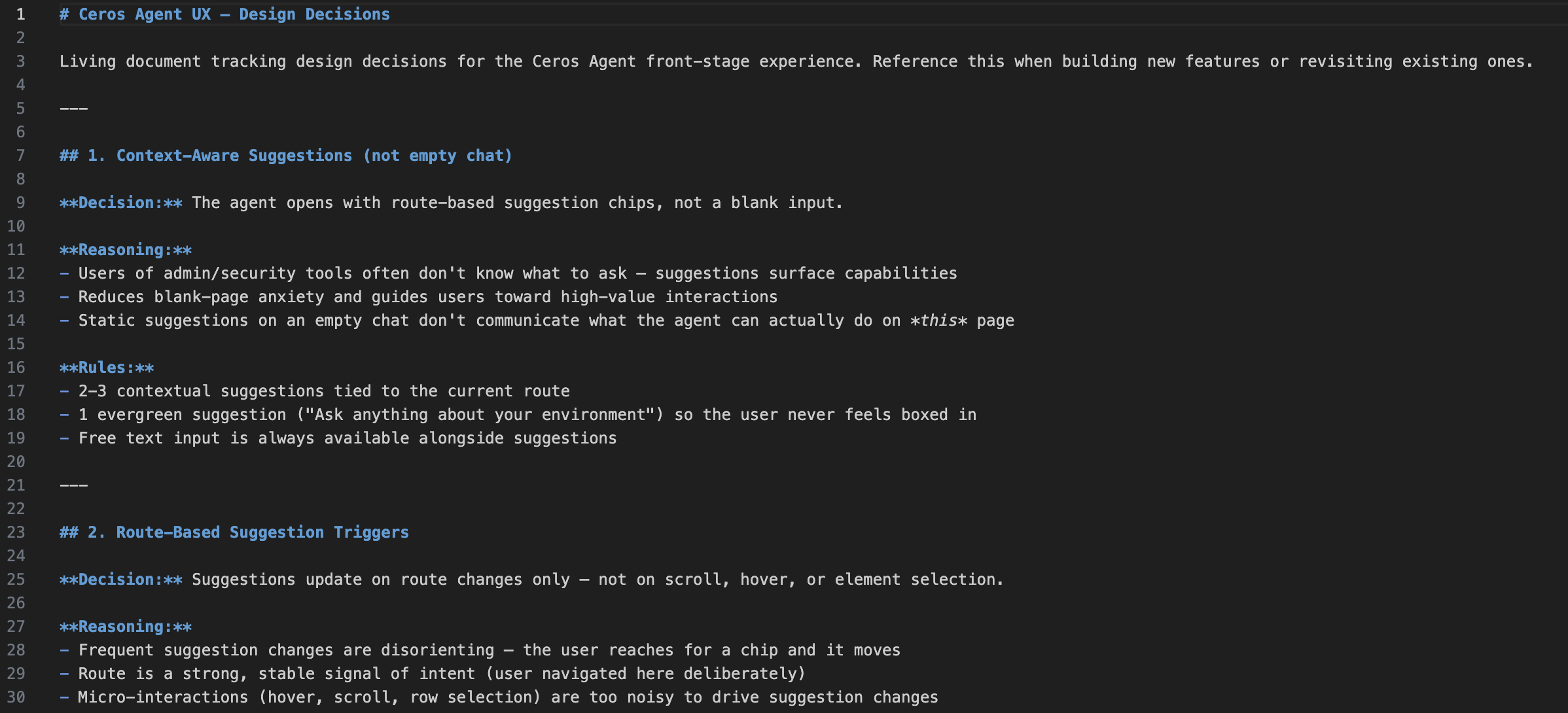
Every decision goes into a living doc with reasoning and competitive analysis. This forces you to articulate *why*, which often reveals whether the decision is actually good. Make it automatic: when a decision is made, it's documented in the same step as the code change.
What Happens Next
The Back Stage Becomes Real
The front stage stays almost identical. The difference is where the data comes from. A hardcoded string becomes an LLM-composed response grounded in real database queries. The user sees the same suggestions, the same streaming, the same follow-up chips. The experience doesn't change: the plumbing behind it does.
What stays the same: suggestion rendering, follow-up chips, markdown parser, source links, carousel, trace overlay.
What You Lose With Front-Stage-First
Be honest about the tradeoffs. The sandbox never times out, never errors, never hallucinates. The mocked responses are too good: perfectly structured, always relevant. Some responses we mocked might be impossible to produce in production if the data lives in disconnected systems. We have no data on what happens at conversation turn 8.
The intent is direction, not perfection
This approach establishes the standards, guardrails, and direction for an agentic experience before the back stage exists. The mocks define what "good" looks like. The expected next phase is bringing in the real back stage for validation, and the delta between the mocked experience and production becomes the iteration backlog.
Testing and Validation
Test with real users
Put the sandbox in front of actual users. Every fallback they hit is a path we didn't anticipate. Every follow-up they ignore is a misread of their intent. All refinements are string edits in the mock data file.
Validate with engineering and product
Engineering confirms data feasibility (can the back stage produce what each response references?) and action feasibility (do the policy primitives match?). Product confirms scope alignment and tone. The trace overlay shows which agents handle each response for architectural validation.
Bring in the real back stage
Replace mock data with real APIs. Test prompt engineering against the mocked responses as acceptance criteria. Test whether the LLM stays within the product's action vocabulary. Design the error states, loading skeletons, and "I don't know" responses that the mock prototype didn't need.
Conclusion
The hardest part of designing an agentic experience is starting. There's no established playbook, the interaction patterns are unfamiliar, and the technology stack is moving fast. The traditional design process (research → wireframe → review → iterate → hand off) is too slow for a surface this interactive and this new.
This approach lets you start today. You don't need a working backend, a trained model, or a finalized architecture. You need a coding agent, your existing product UI, and a willingness to build and react in real time. In one session, we went from "should we show suggestions or an empty chatbot?" to a working prototype with 126 conversation paths, multi-turn follow-up chains, phased policy rollouts, and an architecture trace overlay.
The prototype is testable immediately. Put it in front of users tomorrow. Every gap they find is a string edit, not a redesign. Every pattern they validate is a spec that engineering builds against. By the time the real back stage is ready, the front stage already has a clear opinion about what the experience should feel like, and the team has a shared artifact to point at instead of a slide deck to debate.
You don't need to know how to build agents to design agent experiences. You just need to start with what the user should see and work backwards.
**This is an exploration not a product feature. Its intention is to show how we, Beyond Identity, build with AI natively.